Identify the Vehicle
Record the year, make, model, trim, body style, factory audio configuration, dashboard layout, and any original technology packages that may affect fitment.
Clear compatibility guidance for smarter in-car technology decisions.
Vehicle-Specific Technology Guidance
The right automotive technology should connect cleanly, install confidently, operate safely, and feel purpose-built for your vehicle. Carvexa places compatibility at the beginning of every decision so you can evaluate fit, power, connectivity, mounting, signal requirements, and everyday usability before choosing an in-car device.
01 / Core Process
Compatibility is more than confirming that a product can physically enter a vehicle. A dependable setup considers how the device receives power, exchanges information, mounts securely, preserves existing controls, and performs during real-world driving.
Record the year, make, model, trim, body style, factory audio configuration, dashboard layout, and any original technology packages that may affect fitment.
Confirm whether the product relies on USB-A, USB-C, a 12-volt outlet, an OBD2 port, RCA input, speaker wiring, Bluetooth, Wi-Fi, or a dedicated camera input.
Consider dashboard depth, windshield position, available mounting surfaces, cable paths, operating temperature, visibility, and access to vehicle controls.
Check software support, pairing behavior, control retention, charging demand, camera viewing angle, GPS coverage, and how the system behaves after every start.
Physical Integration
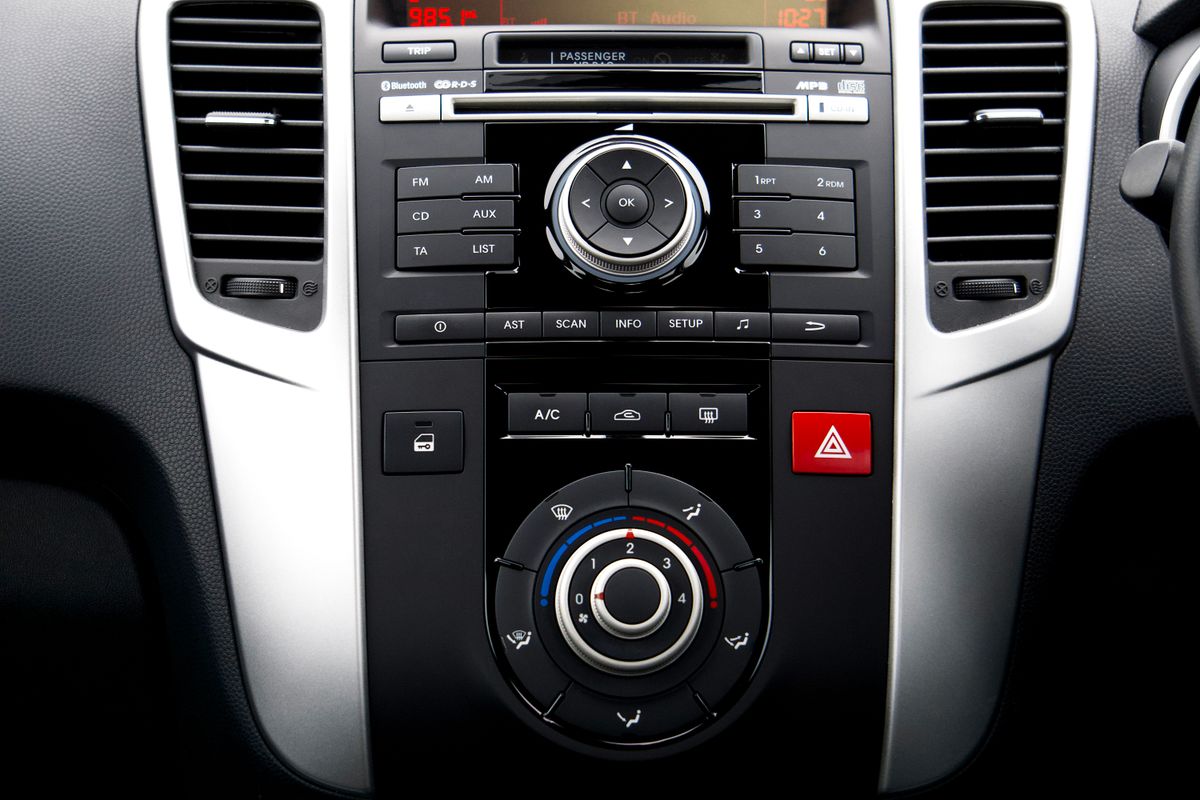
A refined installation begins with the physical environment. Dashboard geometry, screen dimensions, vent placement, steering controls, cable access, camera positioning, and mounting surfaces all influence whether a product feels integrated or improvised.
Compare product dimensions with the intended installation area, including depth, surrounding trim, moving controls, vents, and display visibility.
Dash cameras, phone-connected displays, GPS equipment, and accessory mounts should not interfere with forward visibility or essential controls.
Verify that power and signal cables can be routed without tension, pinching, exposed loops, obstructed airbags, or contact with moving parts.
Avoid blocking climate vents, storage access, gear controls, hazard switches, charging ports, or factory screens during installation.
02 / Product Guidance
Each automotive electronics category solves a different problem and introduces a different set of requirements. Use this overview to identify the details that deserve attention before installation, pairing, or everyday operation.
Check dashboard opening size, mounting depth, wiring harness requirements, steering-wheel control retention, factory amplifier integration, camera inputs, radio antenna adapters, and supported phone platforms.
Check dash fit and wiringConfirm speaker diameter, mounting depth, bolt pattern, impedance, power handling, factory amplifier output, connector type, and clearance behind door panels or interior trim.
Check size and impedanceVerify that the vehicle already includes factory wired CarPlay, then review the adapter’s supported iPhone versions, USB connector, pairing process, startup behavior, and firmware update method.
Check factory wired CarPlayConfirm a compatible 12-volt outlet, available FM frequencies, Bluetooth support, outlet clearance, microphone placement, phone charging needs, and convenient access to controls while driving.
Check outlet and FM accessMatch the charger to the vehicle outlet, device cable, charging protocol, and required wattage. Consider whether total output changes when multiple devices are connected simultaneously.
Check ports and total outputReview windshield placement, viewing angle, memory card support, cable length, parking-mode power requirements, rear-camera routing, app compatibility, and local installation considerations.
Check view and power modeConfirm video signal type, stereo or monitor input, trigger-wire requirements, mounting location, cable length, weather exposure, license-plate clearance, and image orientation settings.
Check input and trigger typeVerify the vehicle’s diagnostic standard, model-year support, available modules, protocol coverage, app operating system, subscription requirements, and whether advanced functions are vehicle-specific.
Check protocol and functionsReview network coverage, service plan terms, power method, placement, signal access, update frequency, app support, battery runtime, and whether the device is intended for permanent or portable use.
Check network and power source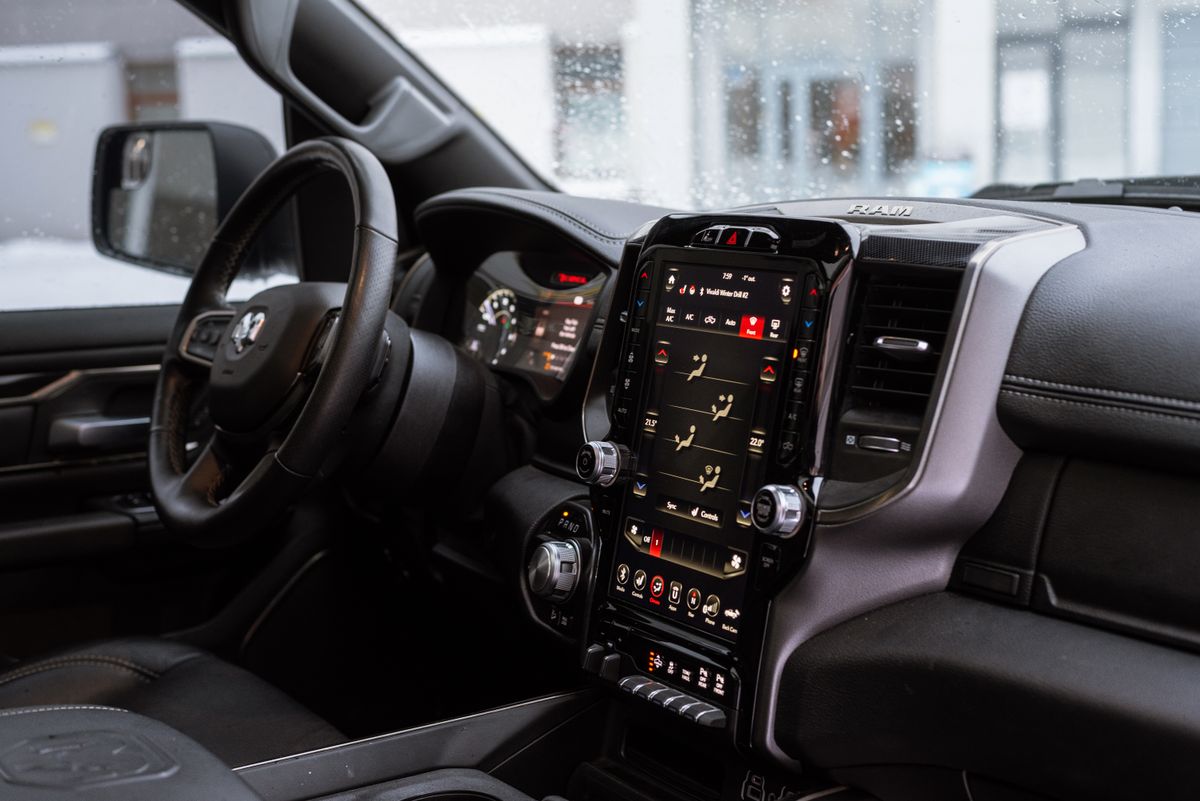
Digital Integration
Modern in-car devices depend on more than physical fit. Stable communication between the vehicle, product, smartphone, satellite network, camera, or audio system determines how quickly the technology starts and how consistently it performs.
Review pairing limits, reconnection speed, supported wireless standards, app permissions, firmware updates, and potential competition between devices.
Diagnostic features can differ by protocol, manufacturer, model year, and module access even when the physical OBD2 connector appears identical.
Confirm that transmitters, stereos, speakers, microphones, and cameras use signal types supported by the receiving equipment in the vehicle.
GPS trackers need suitable placement, satellite visibility, compatible cellular coverage, and an active service arrangement where required.
03 / Technical Review
A single matching connector does not guarantee full compatibility. Review the entire chain—from the vehicle and power source to the device, cable, software, signal protocol, mounting point, and final user interface.
Compatibility Framework
Treat every device as one part of a larger automotive environment. A strong setup is achieved when mechanical, electrical, digital, visual, acoustic, and operational requirements align.
Compare width, height, depth, bracket design, mounting points, cable clearance, ventilation, and access to nearby controls.
Check input voltage, required amperage, outlet capacity, fuse protection, grounding, total charging output, and power behavior after ignition shutdown.
Match USB type, Bluetooth generation, Wi-Fi requirements, OBD2 protocol, audio input, video format, GPS network, and phone operating system.
Review app availability, touchscreen behavior, steering-control retention, voice support, display language, permissions, and firmware update access.
Consider operating temperature, sunlight, moisture, vibration, windshield angle, hidden installation space, signal obstruction, and cable exposure.
Evaluate startup speed, reconnection, subscription needs, memory storage, battery drain, multi-driver use, maintenance, and long-term update support.
04 / Buyer Checklist
Use the following sequence to create a clear compatibility profile. Keeping these details together makes it easier to compare product specifications and identify questions before installation begins.
Include year, make, model, trim, body style, factory radio type, premium audio package, original camera equipment, and any existing technology upgrades.
Measure the available width, height, and depth. Photograph the dashboard, outlet, diagnostic port, speaker opening, windshield area, or camera mounting position for reference.
Note whether the setup uses USB-A, USB-C, a 12-volt outlet, speaker wiring, RCA video, a factory camera input, an OBD2 port, a fuse connection, or an adapter harness.
Compare the product’s voltage and current requirements with the vehicle’s available supply. Include total output when multiple charging ports or accessories operate at the same time.
Confirm the supported phone platform, operating-system version, required app, wireless permissions, firmware process, subscription terms, and account setup.
Determine whether steering controls, factory amplifiers, warning chimes, original cameras, parking sensors, vehicle settings, microphones, and radio antennas require additional integration components.
Keep wiring away from pedals, airbags, sharp edges, heat sources, moving seat tracks, weather exposure, and areas where cables may become pinched or pulled.
Look for statements concerning supported models, unavailable advanced functions, regional network requirements, parking-mode accessories, memory cards, camera formats, or factory-system exclusions.
Confirm that the selected version, connector, cable length, accessory package, storage capacity, mounting style, and software option match the intended use.
05 / Confidence Signals
Reliable compatibility decisions are supported by specific measurements, connection standards, operating requirements, and documented limitations. General phrases should never replace detailed product information.
Product dimensions, mounting depth, cable length, screen size, speaker diameter, and connector location help establish whether installation is physically realistic.
Specific references to voltage, wattage, USB type, Bluetooth, Wi-Fi, video format, operating system, OBD2 protocol, and memory support are more useful than broad claims.
Clear exclusions, accessory requirements, regional restrictions, unsupported features, and installation conditions help prevent unrealistic expectations.
Products described as universal may still depend on outlet placement, connector type, dashboard clearance, camera input, phone support, or vehicle-specific wiring.
A plug that fits physically does not always confirm supported voltage, data communication, control retention, charging speed, or access to advanced functions.
Vehicle equipment can vary by trim, production date, original option package, regional specification, and previous modifications within the same model year.
Compatibility Questions
These answers explain the most important distinctions between physical fit, electrical compatibility, software support, and full feature availability.
No. A matching connector confirms only one part of the setup. Voltage, current, signal format, communication protocol, software support, physical clearance, vehicle configuration, and retained factory functions must also be reviewed.
Trim level, body style, production date, factory audio package, original screen, camera equipment, regional specification, optional technology packages, and previous modifications can create meaningful differences within one model line.
Wireless adapters generally convert an existing factory wired CarPlay connection into a wireless connection. They do not normally add CarPlay to a vehicle that lacks wired CarPlay. Confirm the vehicle’s original system before selection.
No. Basic engine-related diagnostic coverage may be widely available, but access to transmission, braking, airbag, battery, body-control, service-reset, coding, or bidirectional functions can depend on the scanner and the specific vehicle.
Check the dash opening, mounting depth, wiring harness, antenna connection, factory amplifier, steering controls, warning chimes, original camera, USB location, microphone needs, and any vehicle settings controlled by the factory unit.
The vehicle outlet, charger, selected port, cable, connected device, and charging protocol must all support the required power level. Total output may also be divided when several devices are connected at the same time.
Parking mode may require a compatible hardwire kit, appropriate fuse access, low-voltage protection, correct installation, available memory capacity, and supported camera settings. Requirements vary by camera and vehicle.
No. The receiving stereo or monitor must support the camera’s video signal and connector. The installation may also require reverse-trigger wiring, a power connection, signal conversion, image-orientation adjustment, or an adapter.
Carvexa Compatibility Support
For a more productive compatibility conversation, prepare your vehicle year, make, model, trim, existing system details, intended installation location, connector information, and the exact product configuration you are considering.